Authentication
Password authentication with Argon2id, password policies, passkeys (WebAuthn), and multi-factor authentication.
The sign-in experience supports passwords and passkeys, with MFA layered on top.
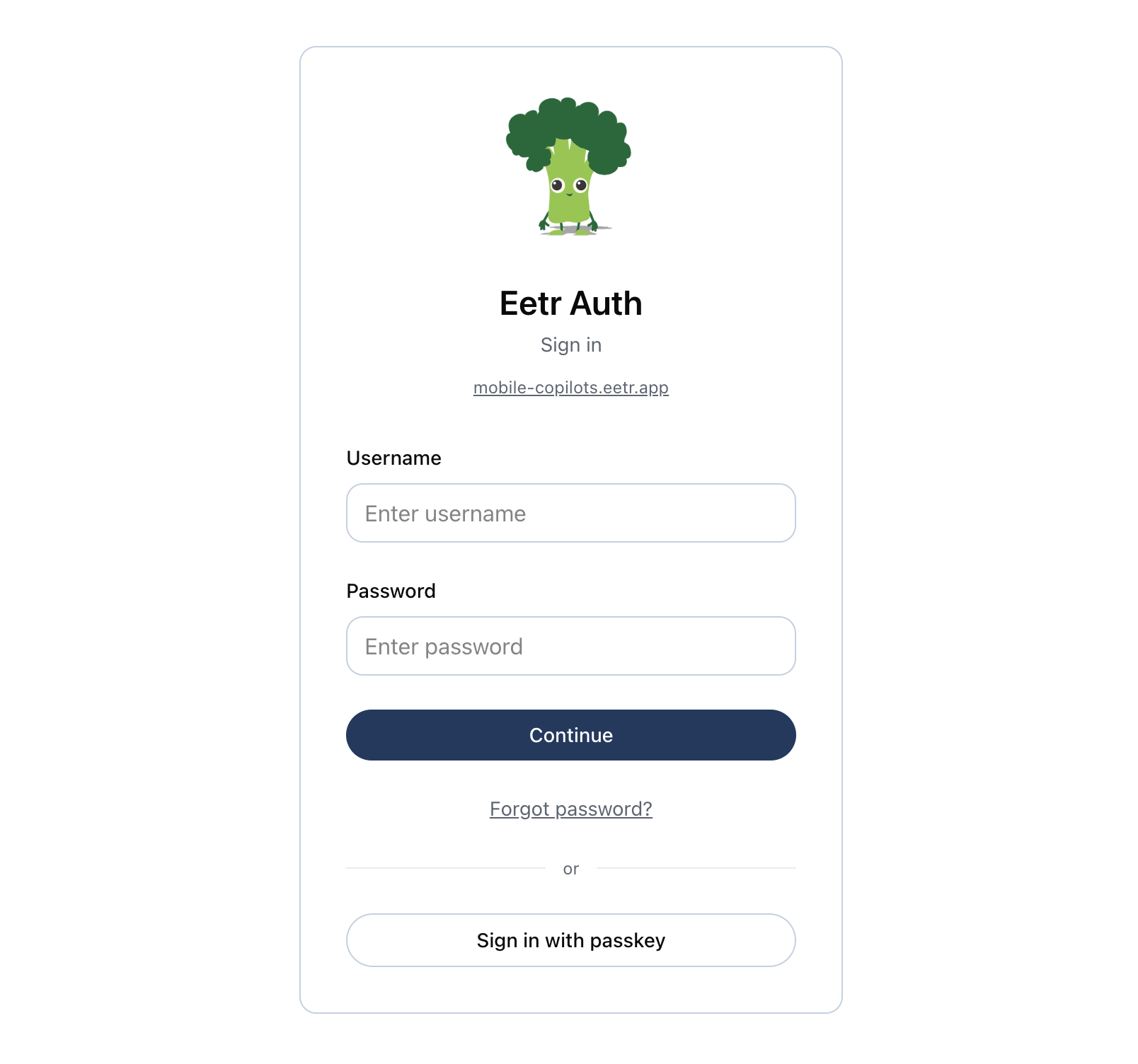
Password authentication
- Passwords are hashed with Argon2id via the
argon-hasherCloudflare Worker. - Configurable fallback hash method via the
HASH_METHODenvironment variable (argonby default;md5for local development). - Password reset via a time-limited JWT token sent to email — single-use and DB-backed. Requesting a new reset purges earlier pending links, and any password change (admin, self-service, or another reset) invalidates outstanding reset links.
Password policies
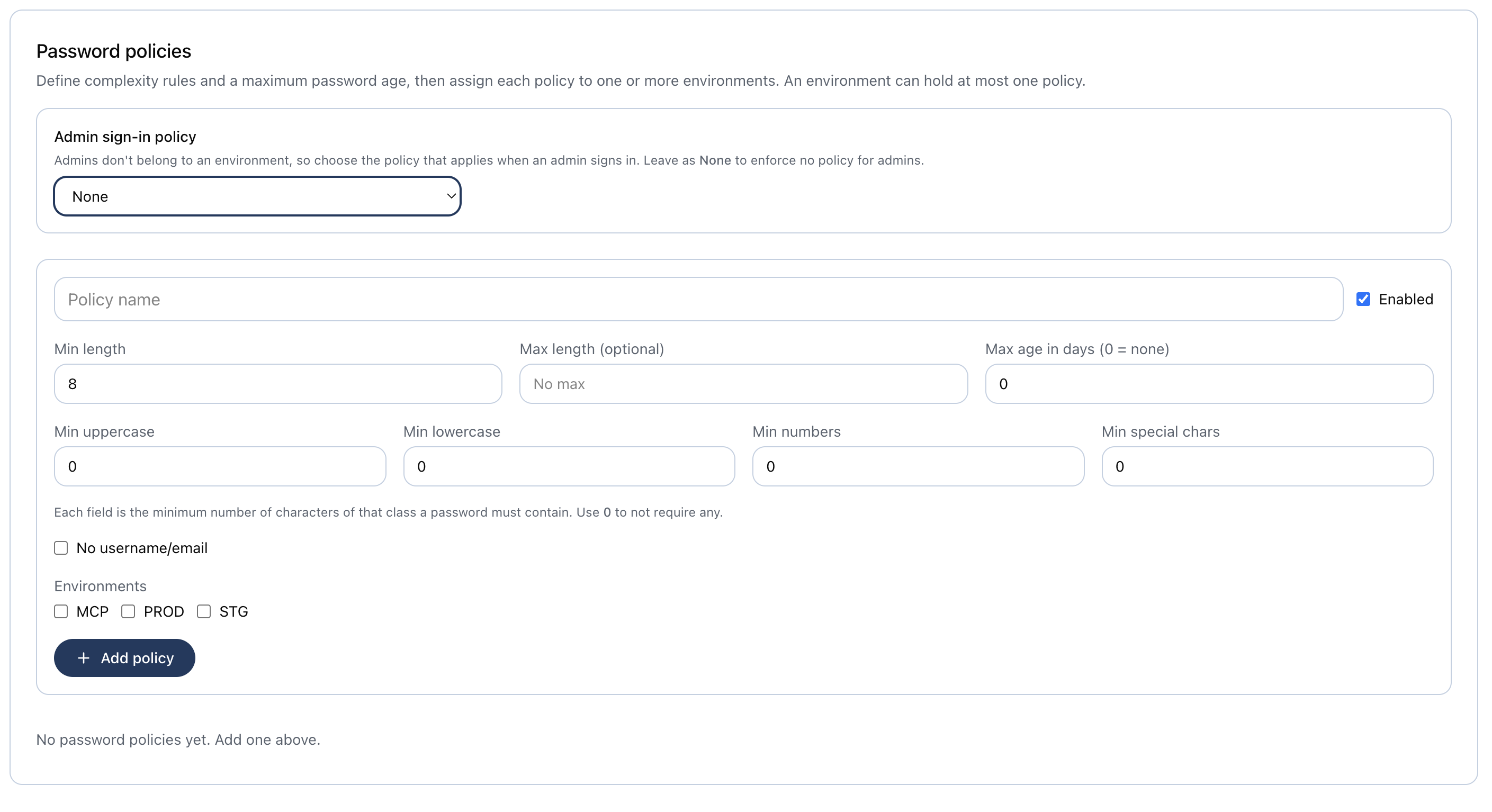
Per-environment password policies are managed from Setup → Password policies.
- A policy is a named rule set: an enabled flag, complexity rules (min length, optional max
length, a minimum count of uppercase / lowercase / number / special characters —
0= not required, so a value of2demands at least two of that class — and "must not contain the username or email local-part"), and a max password age (days;0= never expires). - A policy can be assigned to one or more environments, but each environment holds at most one
policy (a
UNIQUEconstraint enforces this). - Admins don't belong to an environment, so a single admin sign-in policy is selected
globally and stored on
site_settings(admin_password_policy_id).Noneenforces no policy for admins.
Max-age enforcement at login
When a user signs in, the applicable max age is applied — for admins, the admin sign-in policy; for everyone else, the strictest enabled max age across the environments they are granted. If their password is older, sign-in is halted before MFA and a reset is forced (a reset link is emailed when delivery is configured, otherwise the user is directed to an administrator). Users whose password change predates this feature are never expired until their next change.
Passwordless test sign-in
When the authorizing client is a test client, the sign-in page
renders a picker of the test users granted that client's
environment instead of the password form. One click signs in, the consent screen is skipped for that
test user, and the browser lands back at the client's redirect_uri with an authorization code.
The picker replaces the password form only on the sign-in redirect GET /authorize issues, which is
marked by callbackUrl=/oauth/confirm. Browsing to the sign-in page gets the password form, even if a
test client's oauth_pending cookie from a few minutes ago is still valid. That marker is in the URL
and so is the visitor's to set, but it grants nothing on its own: the test-user provider re-derives
the live pending authorization, the client, and the user server-side before it mints a session. For the
same reason a real user reaching a test client is shown the consent screen rather than being passed
straight through: it is the only step that offers "sign in with a different account".
Which client is authorizing is read from the signed, httpOnly oauth_pending cookie set by
GET /authorize — the page is reached by redirect, so there is nothing in the URL to read. That
cookie lives 300 seconds; if it lapses while the picker sits open, the page says the request
expired rather than silently falling back to a password form.
The provider that mints the session takes only a user id, and is directly reachable, so the id is treated as a selector and never as authority. Every condition is re-derived at the moment the session is minted: a pending authorization exists, its client is a non-expired test client, and the target is a non-admin test user granted that client's environment. Without a live pending authorization for a test client, no amount of posting a user id produces a session.
MFA, TOTP, email verification, password max-age and password complexity do not apply here. Every one of them is password- or email-bound and has no meaning for an account with no password.
To drive this from a script or CI job, see Local development with agents.
This is only as strong as the page is private
Anyone who can load a test client's sign-in page can sign in as any test user on it. That is the feature, not a gap — keep test users out of environments that hold production clients.
Passkeys (WebAuthn)
- Register and sign in with device passkeys — Touch ID, Face ID, hardware keys.
- Multi-device credential support.
- Domain-based authenticator assertion with parent-domain fallback.
- Check whether a user has a registered passkey via API.
Passkeys are self-service: users enroll, rename, remove, and verify-on-this-device from account settings. The client library can list/rename/remove passkeys, but creating/authenticating a passkey is a browser WebAuthn ceremony.
Multi-factor authentication (MFA)
Two MFA methods are supported, chosen per user at sign-in by availability:
Email OTP (site-wide)
When an admin enables MFA, every user with an email receives a server-generated 6-digit code by
email. Attempt-capped via MFA_OTP_MAX_ATTEMPTS (default 5); challenge-response with short-lived
tokens.
Authenticator app / TOTP (per-user)
A user enrolls an RFC 6238 authenticator (e.g. Google Authenticator) from account settings. The
base32 secret is stored encrypted at rest (AES-GCM, key derived from AUTH_SECRET). Enrolling
turns on MFA for that user even when the site-wide email toggle is off.
At sign-in, the available methods are computed for the user: with one method it is used directly; with both (site email MFA on and an authenticator enrolled) the user picks at a chooser and can fall back to an email code. The email code is only sent once email is actually chosen.
See the MFA & TOTP guide for enabling and operating MFA.
Email verification
- New-user email verification flow with resend support.
- The verification challenge is stored in D1 with an expiry.